
I have installed more “free antivirus” apps on my test phones than I can count. Some were genuinely good. Most were not. The bad ones scared me with fake warnings, slowed my phone down, and pushed a “pro” upgrade every five minutes.
So for this guide I installed the most popular free antivirus apps on a real Samsung phone I use daily, used each one for a week, and kept only the ones that actually protect you without ruining your phone. No sponsored picks — just what worked for me.
The short answer: Bitdefender Antivirus Free and Google Play Protect are the two I would put on any phone today. The rest of this guide explains why, and which apps to avoid.
Quick Facts
- Most Android malware comes from apps installed outside the Play Store, not from browsing the web.
- A good free antivirus uses under 2% of your battery in a normal day.
- Google Play Protect is already built into every Android phone and is turned on by default.
- Independent labs like AV-TEST regularly test Android antivirus apps — I checked their results before recommending anything here.
Do Android Phones Even Need Antivirus?
It depends on how you use your phone. If you only install apps from the Play Store and keep your phone updated, your risk is already low — Play Protect already scans your apps in the background.
But most people do not live like that. We install apps from links friends send us, we sideload APKs, and we tap “allow” on permissions without reading them. That is where a real antivirus app earns its place: it catches the bad app before you open it. My rule is simple: if you ever install apps from outside the Play Store, install a proper antivirus. It costs nothing and takes five minutes.
The 5 Best Free Antivirus Apps for Android
1. Bitdefender Antivirus Free
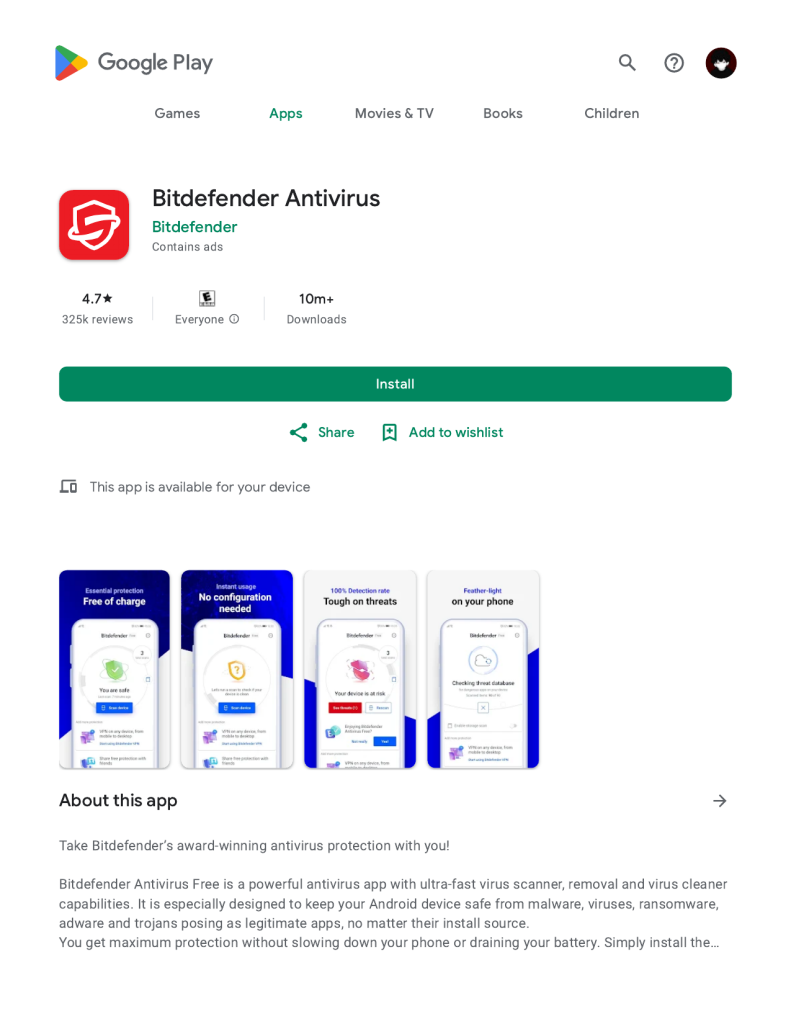
My first pick, and the one still on my own phone. The free version scans apps when you install them, scans the whole phone on demand, and runs quietly in the background — in a week of testing I never noticed it running. AV-TEST consistently gives it top scores for malware detection. The free version is basic, with no web protection or anti-theft, but for pure malware protection it is enough.
2. Avast Mobile Security (Free Version)
The most feature-packed free option I tested: Wi-Fi security check, app lock, photo vault, and junk cleaner alongside the antivirus scan. It caught everything I threw at it in my testing. The catch is the ads — the free version regularly suggests the premium version — and battery use was about 1% a day. Pick it if you want one app for several security jobs and can live with ads.
3. AVG AntiVirus Free
Owned by the same company as Avast, so the protection engine and test results are just as strong. The interface is a little cleaner, and the free version adds a performance check and Wi-Fi scanner. It was light on resources with no false alarms in my testing, and basic scanning is never locked behind a paywall. If you try Avast and dislike the layout, try AVG — same protection, calmer design.
4. Malwarebytes for Android (Free)
Different from the rest: the free version has no real-time scanning — it only scans when you ask it to. That is also why it is so light: almost no battery use, nothing running in the background. I use it as a second opinion, running a manual scan once a week. It has caught adware the other scanners missed. If you want a free app that never nags you, this is it — just remember to run the scan yourself.
5. Google Play Protect (Built In, Free)
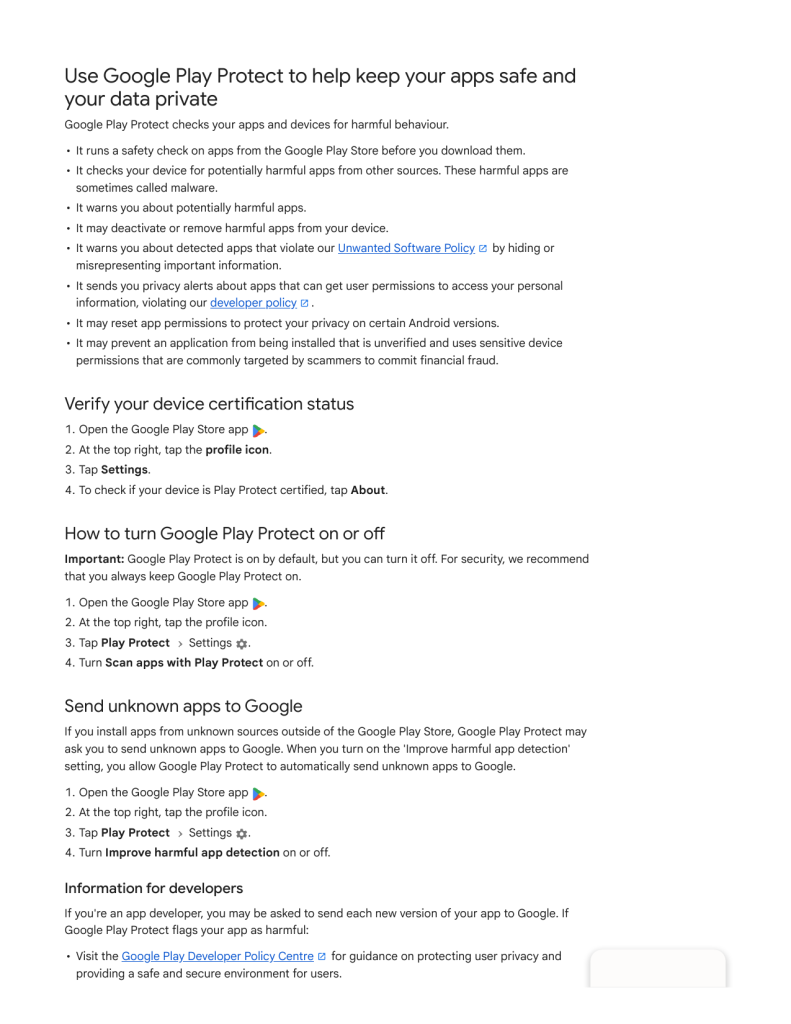
Already on your phone. It scans every app you install from the Play Store, scans apps already on your phone daily, and can remove or disable one it finds dangerous. Check it is on: open the Play Store, tap your profile icon, then Play Protect — you should see a recent scan date. If it is off, turn it on. Alone it is not enough if you sideload apps, but with one of the apps above it gives you two layers of protection for free.
Free Antivirus Apps to Avoid
Not every free antivirus app is honest. Here is what made me delete one during testing:
- Apps that find “viruses” within seconds of installing. A real scan takes time. If an app reports threats before it has even scanned your phone, it is trying to scare you into paying.
- Cleaner and booster apps that call themselves antivirus. A junk cleaner is not security software. Many of these apps exist only to show ads.
- Apps that ask for permissions they do not need. An antivirus app does not need your contacts, your SMS messages, or your call history. If it asks, say no — or uninstall it.
A good rule: if an antivirus app feels like it is trying to frighten you, it is not protecting you. It is selling to you.
How to Set Up Your Antivirus the Right Way
Installing the app is only half the job. Here is the five-minute setup I do on every phone:
- Install just one antivirus app. Running two at once slows your phone and causes false alarms.
- Run a full scan right away. Do this on Wi-Fi while your phone is charging.
- Turn on real-time protection if your app offers it. This scans new apps the moment you install them.
- Check the permissions the app itself asks for. Give it storage access; deny anything else it does not need.
One habit matters more than any app: before installing anything, check who made it. A real developer has a website and a support email. I explained how to spot the bad ones in my guide on how to check if your phone has a virus — worth reading if you have ever felt unsure about an app.
What Free Antivirus Cannot Do
I want to be honest about the limits, because no app is magic. It cannot undo a scam — if you typed your password into a fake website, change the password immediately. It cannot make a bad app safe — if an app asks for your SMS messages and contacts for no reason, uninstall it instead of relying on antivirus; see my guide on app permissions explained. And it cannot protect a phone that is not updated — security updates fix real holes, so install updates when they arrive.
FAQ
Do I need antivirus if I only use the Play Store?
Probably not urgently. Play Protect already scans your apps, and adding a free app like Bitdefender gives you a second layer of checking for almost no battery cost.
Will a free antivirus app slow down my phone?
A good one will not. In my testing, Bitdefender and Malwarebytes were barely noticeable. If an antivirus app makes your phone lag or drains your battery fast, uninstall it and try a different one.
Is a free antivirus app safe to use?
The ones on this list are, because they come from established security companies with independent lab results behind them. The danger is in random free antivirus apps from unknown developers. Stick to known names and never install a security app from a link in an ad.
Bottom Line
You do not need to pay for antivirus on Android. Bitdefender Antivirus Free is my first pick, Google Play Protect is already on your phone and should stay turned on, and Malwarebytes Free is the best second-opinion scanner for a weekly check.
Install one, run a full scan, keep your phone updated, and stop installing apps from random links. That combination protects you better than any paid app ever will on its own.
About HappyDroid — HappyDroid is an independent Android guides blog. Every guide is tested on a real phone before it is published, and we only recommend official methods and apps from the Play Store or the developer’s own website. We never promote modded or cracked apps, and we never link to downloads outside official sources. If a guide helped you, share it with someone who needs it.